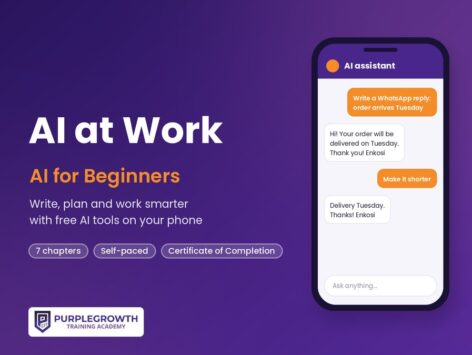

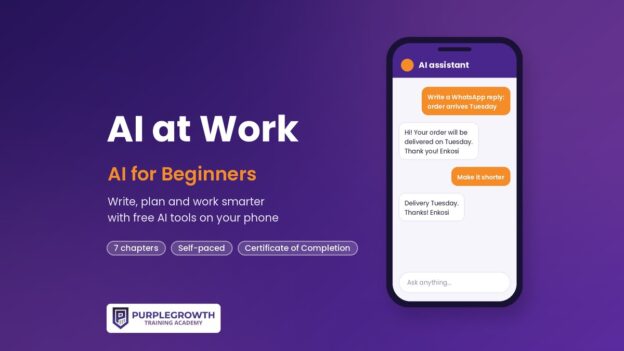
AI at Work: AI for Beginners

Learn to use free AI tools like ChatGPT, Gemini, Copilot and Meta AI on your phone to write emails and CVs, handle everyday admin and serve customers faster, safely and in your own voice.
R199 once-off. Study on your phone, at your own pace. Get a certificate when you finish.
Start for R199 →We will never ask you to pay for a job. R199 pays for the course, once.
Course title: AI at Work: AI for Beginners
Level: Beginner. No experience needed. If you can send a WhatsApp message, you can do this course.
Duration: Self-paced — about 4 hours of reading, practice and quizzes across 7 chapters.
Format: Text lessons, short practice activities, a quiz after every chapter, a final assessment and a certificate of completion.
What you need: A phone or computer with internet, and a free AI assistant: ChatGPT, Google Gemini, Microsoft Copilot or Meta AI in WhatsApp. All have free versions.
Price: R199 once-off (online)
Certificate: PurpleGrowth certificate of completion, issued automatically on completion of all chapters and the final assessment
The certificate you get when you finish
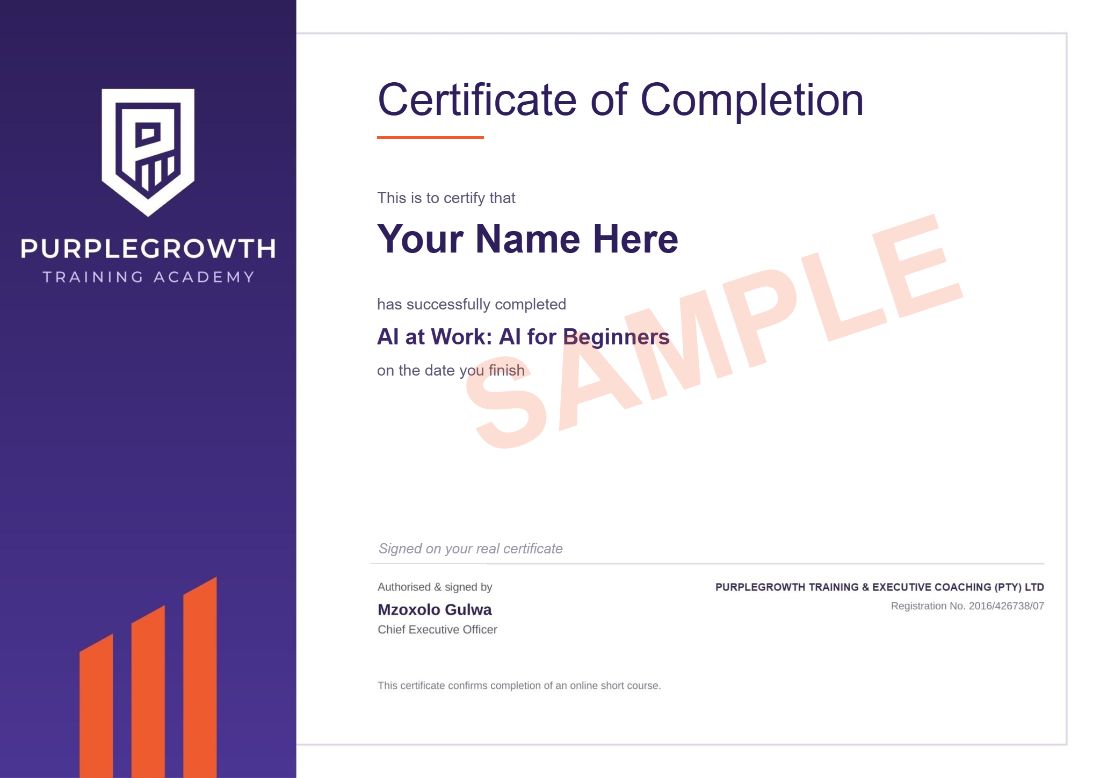
Your full name, the course name and the date you finish. Download it as a PDF as soon as you complete the course and add it to your CV.
- R199 once-off. No monthly fees and no registration fee.
- Secure payment through PayFast.
- Start straight away once your payment goes through.
- Study on your phone, at your own pace.
- 1,800+ people have signed up to Purple Growth eCampus.
Course outcomes
By the end of this course you will be able to:
Explain in plain words what AI is, what it can do and what it cannot do
Set up and use a free AI assistant on your phone
Write clear instructions (prompts) that get useful answers
Use AI to write emails, CVs, cover letters, messages and short reports in your own voice
Use AI for everyday admin: summarising, planning, making lists and tables, and translating
Use AI for customer service, quotes, social media posts and simple business tasks
Recognise AI mistakes, protect personal information (POPIA), and spot AI scams
Build a daily AI habit and complete a real task from your own work with AI
Where these AI skills help you
Offices, shops, call centres and small businesses all have emails to write, messages to answer, lists to make and posts to plan. If you can do that work faster and check it properly, you stand out from other applicants and get more done in the job you already have. If you run a small business or a side hustle, you can use the same skills for quotes, product descriptions, customer replies and a week of social media posts in one sitting.
Will this course get you hired?
No course can promise you a job, and anyone who does is not being honest with you. What this course does: it gives you real AI skills you can show, like a CV and cover letter you improved with AI, a prompt library for your daily tasks, and one real work task you finished with AI. You will also be able to explain how you check AI mistakes and protect personal information under POPIA.
After you finish
- Add it to your CV under “Courses”, for example: AI at Work: AI for Beginners, Purple Growth eCampus (2026): writing clear prompts, drafting emails and reports with AI, summarising and planning, AI for customer messages and social media, checking AI output and POPIA basics.
- Add your AI skills to every application for office, admin, customer service and retail roles, and use AI to tailor your CV and cover letter for each job. Never pay anyone for a job or an interview.
- Get job alerts. JobAlertsZA is a free tool that finds admin, office and entry-level jobs near you.
Further free resources
Free resources you can use to keep learning after the course. All free at the time of writing.
Google AI Essentials (free introductory material) — https://grow.google/ai-essentials/
Accenture Learning to Earning — free Generative AI courses (South Africa) — https://www.l2eportal.accenture.com/?content-lang=en-ZA
MTN Skills Academy — free Introduction to AI skill path (Microsoft) — https://skillsacademy.mtn.com/
Information Regulator (South Africa) — POPIA guidance — https://inforegulator.org.za/
South African Banking Risk Information Centre (SABRIC) — scam awareness — https://www.sabric.co.za/
Questions people ask
Is this a scam? Will you ask me to pay for a job?
No. R199 pays for the course, once. We will never ask you to pay for a job, an interview or a placement. You pay through PayFast and the course opens as soon as your payment is confirmed.
Do employers accept this certificate?
It is a Purple Growth certificate of completion that shows you finished the AI at Work: AI for Beginners course and passed its assessments. It gives you proof of the skills you trained in and something concrete to put on your CV.
Do I have to pay for ChatGPT or another AI app?
No. The course uses the free versions of ChatGPT, Google Gemini, Microsoft Copilot or Meta AI in WhatsApp. You only need a phone or computer with internet.
Do I need matric or experience?
No. You don’t need matric or experience to do this course. Some employers ask for matric for their jobs, so check each advert.
How long does it take?
About 4 hours of reading, practice and quizzes across 7 chapters, at your own pace, with no deadline. Your progress is saved.
What if I fail a quiz?
You need 60% to pass each chapter quiz and 70% for the final assessment, and you can retake them as many times as you need.
Can I get my money back?
Yes, within 7 days, as long as you haven’t opened any course content. See our refund policy.
Course Content
About Instructor

Course Includes
- 7 Lessons
- 35 Topics
- 8 Quizzes
- Course Certificate

Responses