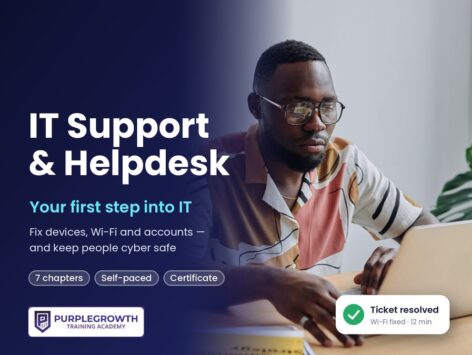

IT Support & Helpdesk: Your First Step into an IT Job

Learn to fix computers, phones, Wi-Fi and accounts with a professional seven-step troubleshooting method, log and escalate helpdesk tickets, and keep users safe from phishing, so you can apply for your first IT support job.
R199 once-off. Study on your phone, at your own pace. Get a certificate when you finish.
Start for R199 →We will never ask you to pay for a job. R199 pays for the course, once.
Course title: IT Support & Helpdesk: Your First Step into an IT Job
Level: Complete beginner. No IT experience needed.
Duration: Self-paced — about 6 hours of reading, practice and quizzes across 7 chapters.
Format: Text lessons, short videos, hands-on practice activities, a quiz after every chapter, a final assessment and a certificate of completion.
What you need: A phone with internet. Access to a computer or laptop (your own, a library’s or a friend’s) makes the practice activities easier, but isn’t required for every lesson.
Price: R199 once-off (online)
Certificate: PurpleGrowth certificate of completion, issued automatically when you finish all chapters and the final assessment
The certificate you get when you finish
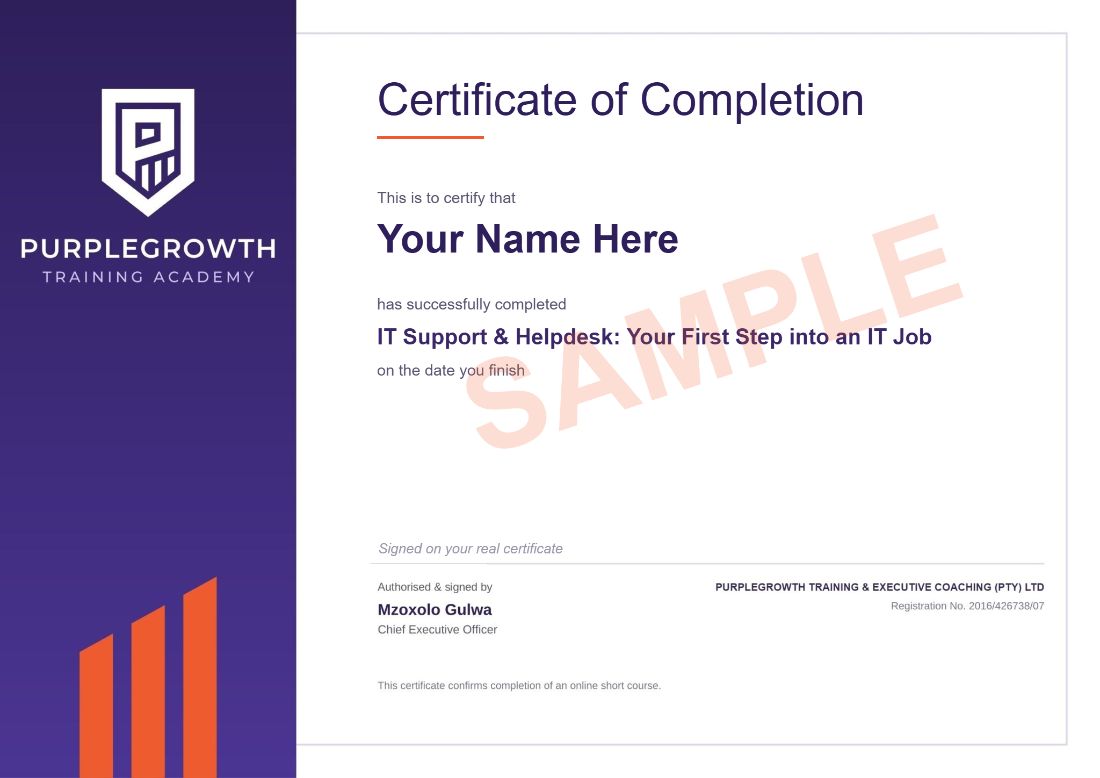
Your full name, the course name and the date you finish. Download it as a PDF as soon as you complete the course and add it to your CV.
- R199 once-off. No monthly fees and no registration fee.
- Secure payment through PayFast.
- Start straight away once your payment goes through.
- Study on your phone, at your own pace.
- 1,800+ people have signed up to Purple Growth eCampus.
What this course gets you
By the end of this course you will be able to:
Explain what IT support and helpdesk staff do, and how support teams are organised
Understand how computers, phones, operating systems and storage work
Explain how routers, Wi-Fi, IP addresses and internet connections work
Troubleshoot problems using the professional seven-step method
Log, prioritise and escalate helpdesk tickets and support users remotely
Help people use strong passwords and MFA, spot phishing and protect data under POPIA
Build experience, choose free learning and certifications, and earn on the side
Who this course is for
Job seekers who want a first step into an IT career
People who are already “the tech person” for family and friends
Customer support staff who want to move into technical roles
Small business owners who want to look after their own technology
Where IT support and helpdesk staff work
Companies of every size need IT support, from IT companies and service desks to banks, retailers, schools and call centres with technical support lines. Many technicians also earn on the side doing setups, virus removal and Wi-Fi fixes for neighbours and small businesses. Entry-level IT support jobs pay about R6,000 to R12,000 a month, and PayScale puts the average for IT support technicians at about R15,300 a month (see our IT support technician guide).
Will this course get you hired?
No course can promise you a job, and anyone who does is not being honest with you. What this course does: teaches you how computers, phones and networks work and how a helpdesk runs, so you can talk through a fault step by step in an interview and show a log of real problems you have fixed. It also points you to the free learning and certifications that come next.
After you finish
- Add it to your CV under “Courses”, for example: IT Support & Helpdesk, Purple Growth eCampus (2026): seven-step troubleshooting, helpdesk tickets and escalation, Wi-Fi and network basics, remote support, passwords and MFA, phishing awareness.
- Apply for entry-level roles such as junior IT technician, helpdesk, service desk and IT intern posts, plus technical support roles in call centres. Never pay anyone for a job or an interview.
- Get job alerts. JobAlertsZA is a free tool that finds IT helpdesk and support jobs near you.
Further free resources
Free sites and tools to keep learning and find work after the course. All free at the time of writing.
JobAlertsZA — a free tool that finds matching jobs for you: set alerts for IT helpdesk and support roles — https://jobalertsza.com/
Cisco Networking Academy — free, self-paced courses in networking, hardware, operating systems and cyber security — https://www.netacad.com/
Professor Messer — free CompTIA A+ video course — https://www.professormesser.com/free-a-plus-training/220-1201/220-1201-video/220-1201-training-course/
Microsoft Learn — free training on Windows, Microsoft 365 and Azure — https://learn.microsoft.com/en-us/training/
Google IT Support Certificate — online programme with financial aid available — https://grow.google/certificates/it-support/
Chrome Remote Desktop — Google’s remote support tool — https://remotedesktop.google.com/support
Thinking about a career in IT? Read our free guide: how to become an IT support technician in South Africa, with 2026 salaries, what employers ask for and what CompTIA A+ costs.
Questions people ask
Is this a scam? Will you ask me to pay for a job?
No. R199 pays for the course, once. We will never ask you to pay for a job, an interview or a placement. You pay through PayFast and the course opens as soon as your payment is confirmed.
Do employers accept this certificate?
It is a Purple Growth certificate of completion that shows you finished the IT Support & Helpdesk: Your First Step into an IT Job course and passed its assessments. It gives you proof of the skills you trained in and something concrete to put on your CV.
Do I need a computer to do this course?
No. You can study on a phone with internet. Access to a computer or laptop (your own, a library’s or a friend’s) makes the practice activities easier, but it isn’t required for every lesson.
Do I need matric or experience?
No. You don’t need matric or experience to do this course. Some employers ask for matric for their jobs, so check each advert.
How long does it take?
About 6 hours of reading, practice and quizzes across 7 chapters, at your own pace, with no deadline. Your progress is saved.
What if I fail a quiz?
You need 60% to pass each chapter quiz and 70% for the final assessment, and you can retake them as many times as you need.
Can I get my money back?
Yes, within 7 days, as long as you haven’t opened any course content. See our refund policy.
Course Content
About Instructor



Course Includes
- 7 Lessons
- 35 Topics
- 8 Quizzes
- Course Certificate

Responses